- Start by mapping where the same information gets typed twice, field by field, before you pick any tool.
- Give every piece of information one home. Other systems get copies.
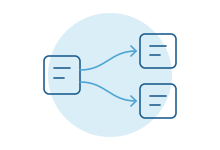
- Send information one way wherever you can. Two-way syncing is much harder to get right.
- A connection that fails silently is worse than no connection. Plan for failure before it happens.
- Match records on a shared ID, never on names, and treat each connection like an employee with access.
Map where the same information lives twice
Most retyping hides in plain sight. A salesperson marks a deal won in the CRM. Operations types the same customer into the job system. Accounting types it again to invoice. Nobody calls it a problem, because each person only does their part.
Pick one kind of record that matters, such as a customer or an order. Follow a real one from first contact to final invoice and note every system it appears in, and who types it.
Here is a made-up example for a distributor:
| Information | Where it appears | Who types it |
|---|---|---|
| Customer name and contact | CRM, quoting spreadsheet, accounting, shipping tool | Sales, then operations, then accounting |
| Billing address | CRM, accounting | Sales and accounting, separately |
| Order lines and prices | Quoting spreadsheet, accounting | Sales, then accounting |
| Shipping status | Shipping tool, emails to the customer | Warehouse, then customer service |
Every row with more than one system is a candidate. The rows where copies disagree most often are usually the ones costing you money, and they are where to start.
Pick one home for each piece of information
Before you connect anything, decide which system is the official home for each piece of information. Everyone calls this the source of truth. Information is created and changed in its home. Every other system gets a copy.
Decide field by field, not system by system. The CRM might own the customer's contact person while accounting owns the billing address and payment terms. That's fine, as long as it's written down. A good home is usually where the information is first created, or where the person who keeps it right already works.
Then tell people. If someone updates an address in the wrong place, the connection may overwrite it the next morning. That's working as designed, but it feels like a bug unless everyone knows the rule.
One-way or two-way
In a one-way connection, information flows from its home to the copies. Simple to build, simple to explain and simple to fix.
In a two-way connection, a change in either system updates the other. It sounds better. It's much harder, for a few reasons:
- Conflicts. Two people change the same record in both systems at once. Which change wins? You need a rule, and someone will dislike it.
- Loops. System A updates B, which counts as a change, so B updates A, and so on. Connections need to recognize their own changes.
- Deletes and merges. If someone merges two duplicate customers in one system, what should happen in the other? There's rarely an obvious answer.
Most “we need two-way sync” requests turn out to be several one-way flows in different directions. The CRM sends new customers to accounting. Accounting sends payment status back. Each field still has one home. Try that design first.
Right away or on a schedule
Some information needs to move the moment it changes. Some can move every night. Each has costs.
| Timing | Good for | Trade-off |
|---|---|---|
| Right away | Anything a person or customer is waiting on: a new order, an approval, a stock check | More moving parts, and problems surface one record at a time |
| Every few minutes | Updates where a short delay doesn't matter | People may see stale information briefly and get confused |
| Nightly or weekly | Reports, finance roll-ups, large batches | Easy to check and rerun, but information is a day old |
Ask how fast a tool really moves information before you buy it. Some check for new records on a timer rather than instantly. Zapier, for example, says how often it checks depends on your plan.
Plan for what happens when something fails
Connections fail. Someone changes a password. A field gets renamed. The other system goes down for an hour on a Tuesday. None of that is a disaster if you planned for it. A connection that fails silently is.
Two made-up examples show what planning looks like.
A distributor's accounting system goes down for maintenance one evening. The connection holds the night's new orders, tries again in the morning, and nobody notices.
A month later, a vendor renames a field and every record starts failing. The owner gets one alert, not forty. She fixes the mapping and resends the stuck records from one screen. Each goes through once, with no duplicate orders.
Off-the-shelf tools offer versions of this. Zapier can replay failed runs, and automatically retry them on some plans. Make stores unfinished runs as incomplete executions so you can retry or resolve them. Power Automate emails the flow owner repair tips when a flow fails and lets you resubmit a failed run. These settings are often off, or pointed at whoever built the connection.
Which failures should retry and for how long, who hears about the rest, and how a resend avoids duplicates all depend on the systems involved and who is around to act. That design is where an experienced builder earns their fee.
Match records on IDs, not names
To update the right customer in the other system, the connection has to know which record is which. Names are a poor way to do it. “Acme Inc.” and “ACME, Inc” are the same company to you and two companies to software. Two people can share a name.
Use an ID instead. Customer numbers, order numbers and, for people, email addresses work far better. A connection that remembers which record matches which can update the right one every time.
If your systems hold years of records with no shared ID, expect a one-time cleanup: obvious pairs matched automatically, uncertain ones confirmed by a person. It's dull work. It's also the difference between a connection people trust and one they double-check forever. If retyping between systems is the daily pain, our page on manual data entry covers what usually goes wrong.
Off-the-shelf connector or a custom connection
You have three broad options, and many organizations use all three.
| Option | Fits when | Watch out for |
|---|---|---|
| Built-in integration between two products | Both vendors support it and it moves the fields you need | You get the vendor's rules, and limited control over matching and failures |
| Connector tool such as Zapier, Make or Power Automate | Simple flows, moderate volume, someone on staff who will own them | Dozens of small flows nobody fully understands; costs that grow with volume |
| Custom connection | Complex rules, high volume, careful matching, a review step, or systems with no ready-made connector | Up-front cost, and you need someone to maintain it |
Start with the simplest option that handles your matching and failure needs. Signs you've outgrown a connector tool: flows that call other flows, logic nobody can explain, silent failures, or a bill that keeps climbing. Our guide to custom software or off-the-shelf walks through the same decision more broadly.
Name an owner and check it works
Every connection needs an owner: a person who gets the alerts, knows what it does and decides on changes. A short note on what it moves and who to call saves hours when something breaks. A regular count check, such as new customers in the CRM against new customers in accounting, catches quiet failures early.
Ownership matters most when people leave. Microsoft's guidance on orphaned flows notes that flows can fail when they use connections tied to a person's account after that person leaves. The same risk applies to any tool where a connection runs under one employee's login.
Security basics
A connection holds the keys to two systems at once. Treat it like an employee with access, not like a setting.
Give it only the access it needs. Security people call this least privilege, which NIST defines as restricting access to what a user, or a process acting for one, needs to do its job. If the connection only reads orders, it shouldn't be able to delete customers.
Give it its own account, not the founder's login, so it survives staff changes and its activity log stays readable. Keep its passwords and keys in a proper vault, not a spreadsheet or a chat message. When a connection is retired or its owner leaves, remove its access the same week. And if customer or health information crosses through a third-party tool, check that tool's data terms with whoever handles compliance.
What most guides miss
Connecting systems exposes disagreements nobody knew about. The day the CRM and accounting start talking, you'll find customers with three spellings and two billing addresses. Budget time for that cleanup. It's often the most valuable part.
The first load is a separate project. Moving tomorrow's new records is easy. Moving five years of old ones, with their duplicates and blanks, takes planning and a person checking samples.
The other systems will change without asking you. Vendors rename fields and retire features. Subscribe to their change announcements, and test your connections after major updates.
Watch for the spreadsheet in the middle. Many “connections” are really a person exporting a file from one system and importing it into another. That counts. It has the same failure points, plus a person who might be on vacation.
How we do it
Our process automation work starts with the field-by-field map above, then builds connections with retries, alerts and a screen for failed records, and when connector tools stop fitting we build custom software that does the job. More on the problem itself: disconnected software. We also stay on after the connection is live, because tools change their fields and plans over time, and a connection nobody maintains fails quietly. A short conversation is the fastest way to find out which of your connections should come first.