Practical guides for running a better operation.
Practical, fact-checked playbooks for people who run operations: what to automate, how to scope and measure it, and how to put AI to work without losing control.
Custom software, automation and AI, in plain language.
What to fix first, how to scope it, how to keep people in charge of AI, and how to know whether it paid off.

How to find what to automate first
The most annoying task is rarely the best place to start. Here is a simple way to compare your options using your own numbers, without a big consulting project.
Read the playbook
Custom software or off-the-shelf? How to decide
Most of the time, you should buy. Software companies spread their costs across thousands of customers, and you get the benefit. Here is how to spot the few cases where building pays off.
Read the playbook
How to scope a custom software project without the usual overruns
Most overruns are decided before anyone writes code, in a scope that was too big, too vague or both. Here is how to write one that holds up.
Read the playbook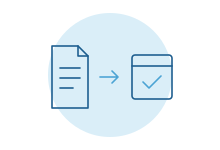
How to automate document intake: orders, invoices, forms and PDFs
Reading the document is the easy part. The real work is checking it, fixing it and getting it into the right system. Here is how to automate the whole job and keep people in charge of the hard cases.
Read the playbook
When to replace a spreadsheet with an internal tool, and how
Most important processes start in a spreadsheet. That's fine until the sheet quietly becomes the system the business runs on. Here is how to tell, what your options are, and how to move without stopping work.
Read the playbook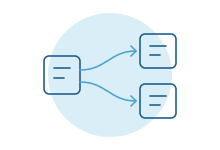
How to connect the systems your team retypes between
If someone copies the same customer into three systems, the fix isn't a faster typist. Here is how to plan connections that hold up, in plain language.
Read the playbook
How to put AI into daily operations without losing control
Plenty of AI projects look great in a demo and then never get used. The difference usually isn't the model. It's how the work is designed around it.
Read the playbook
How to design human review for AI work
“A person reviews it” is where most AI plans stop. It's where the real design starts: what gets checked, how, by whom, and when it's safe to check less.
Read the playbook
How to measure whether automation paid off
Most teams can't say whether their last automation project worked, because nobody wrote down how the work ran before. Here is how to measure before and after without a big study.
Read the playbook
How much does custom software cost? What actually drives the number
Every honest answer starts with "it depends." Here is what it depends on, so you can read a quote with confidence, compare it with buying and keep the cost under your control.
Read the playbook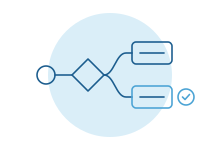
AI agents explained for operations teams
What an AI agent is in plain words, where agents help, where they fail, where to put human approval and how to pick a safe first use case.
Read the playbook
What an iPhone app could do for your organization
Apps for customers, patients, members, dealers, staff and leaders, with scenes and examples by industry, and what an iPhone can do that a website can't.
Read the playbook
Does your organization need an app, or a better website?
When an app earns a place on someone's home screen, when a phone-friendly website or portal is the better call, and why many organizations need both.
Read the playbook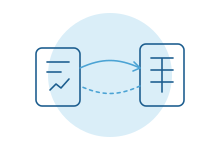
Connecting field-service software to your accounting system
What the built-in QuickBooks syncs cover, where month-end still breaks down, and when a custom connection is worth it.
Read the playbookWhen off-the-shelf tools are enough, and when they aren't.
Fair comparisons of the tools teams usually try first, and the signs it's time for something built around your process.
Zapier or Make vs a custom integration: when off-the-shelf automation stops being enough
Zapier, Make and Power Automate are often the right way to connect two apps. Here is where they shine, the signs a team has outgrown them, and what changes when you build the connection instead.
Read the comparison
Airtable or Smartsheet vs a custom internal tool
Airtable and Smartsheet are often the right step up from a spreadsheet. Here is where they shine, the signs you've outgrown them, and how to move to a custom tool without stopping work.
Read the comparison
Low-code platforms vs custom development: how to choose
Low-code tools can put a working app in front of your team in days. Custom software takes longer but bends to fit. Here is how to tell which one your project needs, and when to use both.
Read the comparison
Internal tools: build, buy or use a tool builder?
Buy a product, extend what you already run, use Retool or Power Apps, or build custom. Here is how to choose the right route for each internal tool your team needs.
Read the comparison
Agency, freelancer, contractor or in-house: who should build it?
In-house hires, freelancers, contract engineers, agencies and outside teams compared: what each is good at, where it fails, and who keeps the code and the knowledge.
Read the comparison
When Excel stops working as a database
The signs a spreadsheet has become your system of record, the quiet ways Excel changes data, and your options from SharePoint lists to a real database and app.
Read the playbook
When does a software integration need the vendor's approval?
Why a private connection for one company is treated differently from a marketplace app, with real examples and the questions to ask before you hire anyone.
Read the playbook
Can you build your own ServiceTitan integration?
Often, yes. How customer-built apps differ from certified marketplace apps, who owns the keys, and what to ask your ServiceTitan rep first.
Read the playbookWhat the built-in syncs cover, and where they stop.
Plain guides to the connections companies ask about most: what the official sync handles, the gaps teams hit, and when a custom connection is worth it.
Connecting ServiceTitan to QuickBooks: what syncs and where it stops
ServiceTitan's QuickBooks Online export handles invoices, payments, bills and sales tax. Where it stops at month-end, and when to add to it.
Read the playbook
Connecting Housecall Pro to QuickBooks: what syncs and where it stops
Housecall Pro's QuickBooks Online sync sends invoices, payments, customers and price book items. What it leaves to your bookkeeper, and when to add to it.
Read the playbook
Connecting Clio to QuickBooks: what syncs and where it stops
Clio Manage's QuickBooks Online integration syncs contacts, bills, payments, expenses and, if you turn it on, trust transactions. Where it stops for growing firms.
Read the playbook
Connecting Procore to Sage Intacct: what syncs and where it stops
Procore's ERP connector for Sage Intacct covers jobs, vendors, budgets, commitments, change orders, subcontractor invoices and job costs. What it leaves out.
Read the playbook
Connecting Shopify to QuickBooks: what syncs and where it stops
Intuit's Shopify connector imports sales, refunds, fees, payouts and B2B orders into QuickBooks Online. Where it stops for wholesale, multiple channels and inventory.
Read the playbook
Connecting Shopify to NetSuite: what syncs and where it stops
What Oracle's NetSuite Connector syncs between Shopify and NetSuite, where B2B orders, bundles, returns and multiple stores need more, and how to choose.
Read the playbook
Connecting HubSpot to NetSuite: what syncs and where it stops
What HubSpot's own NetSuite integration syncs, from deals and orders to invoices, where quote-to-cash still breaks, and when a connector or custom build helps.
Read the playbook
Connecting Salesforce to NetSuite: what syncs and where it stops
Oracle's own Salesforce Connector, common connector choices and custom builds: what each does for customers, orders and quote-to-cash, and where each stops.
Read the playbook
Connecting Salesforce to QuickBooks Online: your options
There is no Intuit-built Salesforce app for QuickBooks Online. What MuleSoft Composer and AppExchange apps cover, where invoicing breaks, and when to build.
Read the playbook
Connecting HubSpot to QuickBooks Online: what actually syncs
What HubSpot's own QuickBooks Online integration syncs (contacts, products, invoices, credit memos), its documented limits, and when to add more.
Read the playbookWhere AI actually helps in your kind of organization.
Concrete jobs AI can take on in each industry, where it falls short, and how to start safely with a person reviewing the work.

AI for professional services firms: where it helps and how to start
Where AI helps engineering, architecture, consulting and advisory firms: proposals, intake, project paperwork and reporting, and how to start without risk.
Read the playbook
AI for healthcare practices: where it helps and how to start
Where AI helps multi-location practices and clinics: intake, referrals, prior authorization tracking and documentation support, always with clinician review.
Read the playbook
AI for law firms: where it helps and how to start
Where AI helps law firms today: intake, conflicts, document review support and drafting with attorney review, plus what ABA Formal Opinion 512 asks of lawyers.
Read the playbook
AI for manufacturers: where it helps and how to start
Where AI helps manufacturers today: quotes, order entry from emailed POs, supplier documents, quality paperwork and maintenance notes, with a person checking.
Read the playbook
AI for logistics companies: where it helps and how to start
Where AI helps freight teams: load tenders and rate confirmations from email, POD and BOL paperwork, track-and-trace updates and carrier onboarding documents.
Read the playbook
AI for construction companies: where it helps and how to start
Where AI helps contractors: submittals and RFIs from email, daily reports, change orders, bid leveling support and safety paperwork, with a person deciding.
Read the playbookChoosing the right kind of automation.
Invoices, documents, assistants and the tools you may already own, compared honestly.
AI invoice processing: what to automate and what stays with a person
Where AI helps in accounts payable: capture, PO and receipt matching, coding and routing. Where a person still decides, and when your AP tool is enough.
Read the playbook
Intelligent document processing explained for operations teams
Intelligent document processing in plain words: how modern AI reads documents, how to measure accuracy, where people review, and when a ready-made tool fits.
Read the playbook
Power Automate vs a custom build: when Microsoft's tools are enough
When Power Automate and Power Apps are the right call, and when a custom build fits better. Licensing, premium connectors, governance and limits at scale.
Read the playbook
RPA vs AI automation: which one fits the work
Screen bots, direct connections and AI reading each fit different work. Why RPA breaks after a screen update, when it is still right, and how to choose.
Read the playbook
An AI assistant for your team or customers: what it takes to do well
What it takes to run a good AI assistant for staff or customers: answers from your own documents, permissions, handoff to people and measuring answers.
Read the playbookOld systems, new apps and where to start.
Replacing a Microsoft Access database: your options
Signs your Access database has outgrown itself, the real options for replacing it, and how to move the data without stopping the people who rely on it.
Read the playbook
Modernizing a legacy system without stopping the business
Rewrite, wrap or replace piece by piece? How to modernize an aging system, run old and new side by side, move the data, and know when to leave it alone.
Read the playbook
An internal iPhone app for your team: when it pays off
When a private iPhone app for staff is worth building: field crews, warehouses, sales and leaders. What it can do and how it reaches company and staff phones.
Read the playbook
What a process audit finds (and what it doesn't)
How a process audit works at a mid-size company, the kinds of problems it usually turns up, what you get at the end, its limits and how to prepare for one.
Read the playbookWebsites that bring in work, and content that gets found.
How to show up in search and AI answers, when to rebuild a site, and how to produce content at scale without losing quality.

How to show up in AI answers: ChatGPT, Perplexity and Google's AI results
What Google, OpenAI, Perplexity and Microsoft actually document about appearing in AI answers, which crawlers to allow, and what is still guesswork.
Read the playbook
Moving off Squarespace or WordPress: when a custom site is worth it
When a custom website is worth leaving Squarespace, Wix or WordPress for, when it isn't, and how to move without losing search rankings, your domain or data.
Read the playbook
A website that feeds your systems: forms, quotes and portals
Where leads get lost between your website form and your CRM, and how routing, spam filtering, quote requests and client portals close the gap.
Read the playbook
Content at scale without losing quality
How to publish more pages with AI-assisted drafting without falling foul of Google's scaled content policy: primary-source fact-checks and a human editor.
Read the playbook
What a website project should include: a plain checklist
A plain checklist for a website project: domain and account ownership, speed, accessibility, analytics, structured data, redirects, forms, security and upkeep.
Read the playbook
Integration and landing pages that bring in inquiries
How to write pages that match how buyers search with a specific problem, a system they use and what's breaking, with honest limits and a clear next step.
Read the playbook
Website accessibility for mid-size companies: what to do and why
What WCAG 2.2 level AA means in plain words, the failures that show up most, how to test with tools and with people, and what to know about overlays.
Read the playbook
How to know which pages bring in inquiries
How to trace a website inquiry back to where it came from and the pages read before contact: UTMs, referrer limits, first and last touch, the form and the CRM.
Read the playbook
A newsletter as part of your content: when it earns its place
When a newsletter is worth starting for a B2B company, how often to send, how to reuse your guides, what to measure beyond opens, and the sender rules to follow.
Read the playbookGuides for publishers and newsletter teams.
Deeper playbooks from our media work: production with AI, ad sales operations, audience data, platforms and migrations.

How to automate newsletter production with AI, and keep an editor in charge
Most AI newsletter experiments fail for the same reason: they try to replace the editor. The ones that work replace the busywork around the editor instead.
Read the guide
How to build a sponsor outreach system for your newsletter
Most newsletters do not have a demand problem. They have a follow-up problem. Here is how to build outreach that runs every day, without sounding like a robot or breaking the rules.
Read the guide
Newsletter ad operations: from signed IO to paid invoice
Every sponsorship you sell creates a trail of small jobs. Here is how to run them as one system, so a signed deal books itself, shows up in the issue and gets paid on time.
Read the guide
How to build a newsletter media kit and rate card
A media kit has one job: help a sponsor say yes quickly. Most kits fail because they lead with vanity numbers and bury what buyers actually check.
Read the guide
Know your B2B audience: subscriber data that sells sponsorships
B2B sponsors are not buying reach. They are buying specific roles at specific companies. Knowing who reads your newsletter, accurately, is the difference between a polite no and a renewal.
Read the guide
Paid acquisition for newsletters: optimize for subscribers, not clicks
Paid ads can grow a newsletter fast, or burn budget on clicks that never subscribe. The difference is almost always in what you tell the ad platform to optimize for.
Read the guide
How to measure newsletter engagement accurately
Open and click rates are less trustworthy than they look. Privacy features and security scanners create engagement that never happened, and the inflation is worst for business audiences.
Read the guide
How to choose a newsletter platform: Beehiiv vs Substack vs Ghost vs Kit and more
There is no best newsletter platform, only the best fit for how you publish, grow and make money. Here is how to choose without regretting it a year from now.
Read the guide
How to migrate your newsletter without losing subscribers or deliverability
Most migration problems are avoidable. They come from rushing the cutover, skipping warm-up or forgetting the parts of the old platform you relied on without noticing.
Read the guide
Newsletter deliverability checklist: SPF, DKIM, DMARC, BIMI and list hygiene
A great issue does nothing in the spam folder. This is the checklist we use to keep newsletters landing in the inbox, from DNS records to the habits that protect your reputation.
Read the guideRather have it built for you?
Every guide here describes a system we build. Tell us which one you need.