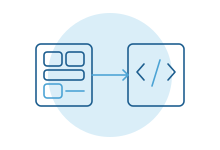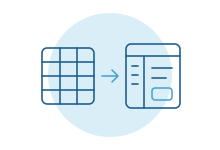
- There are four routes: a product made for the job, the systems you already pay for, an internal tool builder like Retool or Power Apps, or custom software.
- Decide tool by tool. Most organizations end up using all four.
- If a product exists for the job and your process is standard, buy it.
- Tool builders are quickest for staff screens over data you already hold, when someone in-house will look after them.
- Build when the tool holds rules that are yours alone, joins several systems, or is used by people outside the company.
What counts as an internal tool
An internal tool is software your own people use to run the business, rather than software you sell. Most organizations have dozens, whether or not anyone calls them that:
- A queue where someone approves discounts, refunds or credit.
- An admin screen for looking up and correcting customer records.
- A dashboard the operations lead opens every morning.
- An intake form that routes requests to the right team.
- A portal where field staff or partners submit and track work.
Many of these start life as a spreadsheet or a shared inbox. The question comes up when that stops working, and someone has to decide what replaces it.
The four routes
| Route | What it looks like | Best when | Watch for |
|---|---|---|---|
| Buy a product for the job | Help desk, CRM, field service or accounts payable software | The job is common and your process is close to standard | Bending your process to fit, and side spreadsheets for what it can't do |
| Extend what you already run | Custom fields, workflows and screens inside your ERP, CRM or Microsoft 365 | The data already lives in that system and the change is modest | Customizations that make upgrades harder, and admins who become a bottleneck |
| Internal tool builder | Retool, Appsmith, Microsoft Power Apps and similar | Staff need screens over databases and systems you control, and someone in-house will own them | Costs that grow with users, and apps you can't take with you if you leave |
| Custom software | An application written for your process and connected to your systems | Rules are complex, several systems meet, or outsiders use it | It needs an owner and a budget for upkeep |
A few facts worth knowing about the middle two. Some Microsoft 365 licenses include limited Power Apps rights, meant for apps that use Microsoft 365 data and standard connectors. They don't carry the same rights as a standalone premium license, so check before you build something important on them. Retool can run on your own servers, which security teams often ask about, though its documentation lists self-hosting as an Enterprise plan feature. Appsmith is open source and can be self-hosted.
Match the route to the kind of tool
The decision gets easier when you stop asking "which platform should we standardize on?" and ask what kind of tool each one is.
| Kind of tool | Usually start with | Why |
|---|---|---|
| A standard business function, like support tickets | Buy | Someone has already solved it for thousands of companies |
| A better view of one system's data | Extend that system | The data, permissions and history are already there |
| An admin screen over your own database, for a few staff | Tool builder | Fast to build, few users, low risk if it changes |
| A process that crosses several systems with your own rules | Custom, or custom logic behind a simple screen | The rules are the valuable part and need to be tested and readable |
| Anything customers, partners or field staff use | Custom, or a product made for it | Outside users, phones and patchy signal raise the bar on design, access and cost per user |
These are starting points, not rules. A small team with a strong in-house developer may sensibly build more. A company with no technical staff may sensibly buy more, and pay for the fit it gives up.
Five questions that settle most cases
Who will own it in two years? Not who builds it, who looks after it. If the honest answer is "the person who built it, as a side job," plan for the day they move on.
How many people will use it? Many products and tool builders charge per person. That's fair at ten users and a different decision at three hundred. Price it at the headcount you expect, including occasional users.
Where does the data live? If it all lives in one system, extending that system is usually cheapest. If the tool has to pull from and write to several, the connections become the real work.
How tangled are the rules? "Manager approves anything over the limit" fits anywhere. "Regional manager approves, unless it's a renewal, unless the customer is on credit hold" is where visual builders get hard to read and custom code starts to pay off.
What does it cost when it's wrong or down? A dashboard that's late for an hour is an annoyance. A tool that releases orders or issues refunds needs testing, an audit trail and someone watching it. Stakes, more than size, should decide how much engineering it gets.
Ownership is the real decision
The build or buy debate is usually framed around cost and speed. Over a few years, ownership matters more.
With a product, the vendor owns the roadmap. You get their improvements and live with their decisions. With an internal tool builder, you own the app's design but not the platform it runs on. Most let you take your data, not a working app, so leaving means rebuilding. Our guide to low-code versus custom development covers that trade-off in depth. With custom software, you own everything, including the responsibility to keep it running.
None of these is wrong. The mistake is choosing without noticing which kind of ownership you've signed up for.
The mixed answer
Here is a made-up example of how this often plays out at a 300-person distributor.
- Customer support runs on a help desk product. Nobody would build one.
- Finance gets new approval steps and reports inside the ERP it already uses.
- The warehouse team gets a few admin screens in a tool builder, owned by the company's one in-house developer.
- Quoting, which pulls customer history from the CRM, stock from the ERP and pricing rules from three spreadsheets, becomes custom software. It's where the company's know-how lives, and it's the tool where mistakes cost the most.
Four routes, each chosen for a reason. The result is less tidy than one platform for everything. Each tool fits its job, and engineering effort goes only where it pays off.
Signs a tool is on the wrong route
Routes that were right once can stop fitting as a team grows. Each has its own warning sign:
- Bought product: the team keeps spreadsheets beside it for the cases it can't handle, and those spreadsheets have become the real process.
- Extended system: upgrades get postponed because nobody is sure what the customizations will break.
- Tool builder: only one person can change the app, and the list of requests waiting for them keeps growing.
- Custom software: nobody owns it, there's no budget for changes, and people have started working around it.
Any of these is a reason to revisit the choice for that one tool, not to start over everywhere.
What most guides miss
Start with an inventory. Before choosing anything, list the internal tools you already have, including the spreadsheets and shared inboxes doing the job of one. Many organizations find duplicates, abandoned apps and two teams solving the same problem differently.
Internal users deserve good design. Your staff use these tools all day. A screen that adds clicks to every order costs hours every week, and it shapes how people feel about their jobs. "It's only internal" is how clumsy tools survive for years.
Included isn't the same as free. A tool built on licenses you already pay for still needs an owner, testing and support once people rely on it.
Security review applies inside the firewall too. Who can see what, who changed which record and what happens to access when someone leaves are questions for every route. Ask them before the tool holds anything sensitive.
How we do it
We start with the list of tools you need and suggest a route for each, which often means buying or extending most of them and building one or two. When we build, the code and accounts are yours, and we keep the screens simple and the rules readable. We also stay on after launch to support and extend the system as your team and processes change. Tell us which tool you're weighing up and we'll give you a straight answer on which route fits.