- Oracle sells its own Salesforce Connector, announced in September 2024, which runs through a NetSuite SuiteApp.
- Oracle says it shares customers, contacts, items and pricing, and sales orders, and shows invoices, payments, credit limits and amounts due in Salesforce.
- Oracle's setup guide says every NetSuite account using it must be a OneWorld account with at least one subsidiary.
- Many companies sell other Salesforce and NetSuite connectors, and some teams use a general integration platform.
- The hard parts are the opportunity-to-order step, approvals, quote configuration and amendments.
Two systems, one customer
A rep closes an opportunity in Salesforce. In NetSuite, someone in order management rebuilds it as a sales order. They check the price book against NetSuite's price levels, pick the right subsidiary and fix the ship-to address the rep typed in a hurry.
A week later the customer calls the rep about an overdue invoice. The rep has no idea it exists.
That gap is why Salesforce and NetSuite get connected. The question is how much of the gap a ready-made connector closes for you.
Oracle's own option
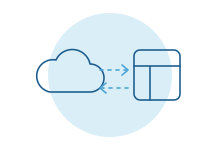
Oracle announced the NetSuite Connector for Salesforce in September 2024. Its help center describes the purpose simply: salespeople keep working in Salesforce while their data is synced with financial and inventory data in NetSuite.
Oracle's announcement says it covers:
- Customer and contact records, kept up to date in both systems.
- Inventory, non-inventory and service items, with item pricing.
- Sales orders and their fulfillment details.
- Invoices, payments, credit limits and amounts due, visible in Salesforce.
Setup has requirements worth checking early. Oracle's guide says every NetSuite account using it must be a OneWorld account with at least one subsidiary. It needs a dedicated integration user in Salesforce, and Salesforce Professional edition doesn't include outside access by default, so check your edition. Only a NetSuite administrator can reach the connector's settings.
Because it is newer, ask your NetSuite account team which records sync in which direction today, and what it costs for your account.
Where ready-made connectors stop
Whichever connector you choose, the same places tend to need decisions:
- Opportunity to sales order. Decide when a won opportunity becomes an order, what has to be true first and who checks it.
- Quote configuration. If you use Salesforce's quoting tools with bundles, options and discount rules, check how a configured quote arrives as NetSuite line items.
- Price books and price levels. The two systems model pricing differently. Check which one is the source and how exceptions are handled.
- Subsidiaries and currency. Check how a new account is assigned to a subsidiary, currency and tax setup.
- Amendments and renewals. Upgrades, co-terms and partial cancellations are where systems drift.
- Custom objects. Most Salesforce orgs carry fields and objects built over years. Check which ones a connector can see.
- Credit memos and disputes. Check whether reps see them, or only the original invoice.
Your three options
Oracle's connector. It comes from the vendor that owns NetSuite, which matters for upkeep. It fits OneWorld accounts whose processes sit close to the standard records.
A third-party connector or integration platform. Salesforce and NetSuite is one of the most common pairings, and several established companies sell prebuilt flows, including templates for quote-to-cash and subscription billing. These suit teams that want configurable mapping and have an admin to own it.
A custom connection for the part that's yours. This suits orgs with heavy customization, unusual approval paths or a quoting model no template fits. Our guide on off-the-shelf automation vs a custom integration helps you tell where that line is.
It is rarely all or nothing. A connector can carry customers and items while a narrow custom piece handles the order step.
What a custom connection usually adds
- A won opportunity that creates a draft order, held for review when discounts or terms fall outside the rules.
- Configured quotes turned into the exact NetSuite lines fulfillment and revenue need.
- Invoice, payment and credit status on the account page, so reps can answer customers on the call.
- Amendments applied to the existing order, with the change recorded.
- A plain list each morning of what didn't match and why.
The test is simple: does it remove a step someone does by hand today? Our page on slow quotes shows where those steps usually hide.
Questions to settle before you choose
The connector decision is easier once a few business questions are answered. Get sales ops, order management and finance together and work through these:
- Is your NetSuite account OneWorld? If not, Oracle's connector is off the table for now.
- When does a won opportunity become an order, and who checks it first?
- Where do prices live, and what happens when a rep gives a discount outside the price book?
- Which Salesforce fields and custom objects does order management actually need?
- How should an upgrade, renewal or partial cancellation reach NetSuite?
- What should reps see about invoices, payments and credit holds?
- Who owns the error list, and who do they call when something looks wrong?
Those answers turn a vendor demo into a real test. Ask each option to show you your three hardest orders, not its best one. The option that handles your worst cases with the fewest workarounds is usually the right one, even if its feature list is shorter.
Who owns the access
Your Salesforce admin creates the integration user and the connected app. Your NetSuite administrator installs the SuiteApp or creates the integration record and a role with only the permissions needed. A developer working for you builds under that access and never needs a person's login.
For how vendors treat a connection built for one company, see when an integration needs the vendor's approval.
What most guides miss
The order step is a business decision, not a field mapping. Agree on it with sales and finance in one room before anyone configures anything.
Decide where customers are born. One system creates them. The other receives them.
Plan for both vendors to change. Salesforce and NetSuite release updates several times a year. Someone should own checking the connection after each one.
Give reps a reason to trust it. If the invoice status on an account is wrong once, reps go back to emailing finance. Show when each record last synced, so people know how fresh it is.
How we do it
We start with a free intro call and walk through how an opportunity becomes cash today. Then we work alongside your Salesforce and NetSuite admins, use a ready-made connector where it fits, and build only the piece it leaves behind. More on our Salesforce and NetSuite pages.