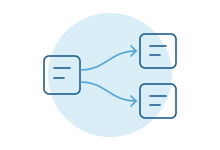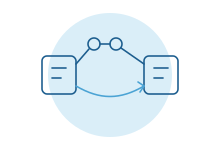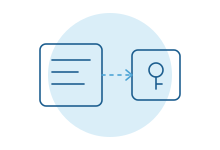
- ServiceTitan approves two paths: Certified Apps from software companies, and Customer-Built Apps that your company creates, hosts and maintains.
- Customer-built apps are available on The Works or Enterprise Plus packages. Confirm yours with your rep.
- You own the app and its access keys. ServiceTitan does not allow a third party to use your keys to reach your account.
- An outside developer can still build it, as long as the software runs in your environment and stays under your control.
- Certification applies to apps offered to many ServiceTitan customers, not to a tool you build for your own company.
The short answer
Your company runs on ServiceTitan. The built-in features cover most of the day. Then there's the part they don't cover, and someone fills that gap by hand.
You are not stuck waiting on the product roadmap. ServiceTitan lets customers build their own connections to their own account.
There are conditions. The package you're on matters. Who owns the access keys matters more. And where the software runs is not a detail you can settle later.
Get those three right and a custom connection is a normal, approved way to run your business. Get them wrong and ServiceTitan can ask you to switch it off.
Two approved paths
ServiceTitan's help center describes two approved ways to connect other software to your account.
- Certified Apps. A software company builds, hosts and manages the app, then offers it to many ServiceTitan customers. These apps go through ServiceTitan's review, and its marketplace program guide says partner apps are re-certified at least once a year. You connect one without handing anyone your keys.
- Customer-Built Apps. Your company creates the app, hosts it and maintains it. It connects only to your account, using access keys that belong to you.
The first path suits common needs. If a certified app already does what you want, start there. Someone else carries the upkeep.
The second path is for the work no marketplace app covers. The report your owners actually ask for. The hand-off to a system nobody else uses. The process that makes your company different from the shop down the road.
There is no certification step for a customer-built app. Certification exists for software offered to many ServiceTitan customers. A tool built for your own company sits under your agreement with ServiceTitan and its rules for customer-built apps.
Start with the package question
ServiceTitan says customers on The Works or Enterprise Plus packages can create Customer-Built Apps. If you're on a different package, ask before you budget for anything.
Packages get renamed and reshuffled. Treat this as the first question for your rep, not something to assume from a web page, including this one.
The rule that trips people up
ServiceTitan prohibits what it calls tunneling. In plain terms: someone else's software using your access keys to reach your account.
It tends to happen in two ways. A vendor asks you to create an app inside ServiceTitan and send them the key. Or you give an outside user permission to create apps, and their software generates and uses the key.
ServiceTitan's reasons are sensible. A third party could act under your company's name without your knowledge. Data could move without anyone governing it. If ServiceTitan finds a prohibited connection, it may ask you to disconnect it.
So "just send us your keys" is a warning sign, even from a well-meaning developer. If a pitch starts there, the arrangement is likely the one ServiceTitan forbids.
How an outside developer works under your account
None of this means you need your own engineering team. It means the finished software has to be yours.
A sound arrangement looks like this:
- The app is created by your administrator, inside your account, in your company's name.
- The software runs in a cloud account your company owns and pays for, not on the developer's servers.
- The access keys live in that environment, and your team decides who can see them.
- The developer works as your contractor, with access you grant and can remove.
- When the engagement ends, the software keeps running and the keys never leave your hands.
That last point is the test. If the developer disappeared tomorrow, would you still own a working system and every key to it? If yes, you're on the right side of the line.
If you're not sure, ask. ServiceTitan's help center lists a contact for integration compliance questions, and a short email now is cheaper than a disconnected system later.
What to ask your ServiceTitan rep
Ten minutes with your account manager can save weeks. Bring these questions:
- Does our current package include Customer-Built Apps? If not, which one would?
- Who on our team should hold the administrator role that creates and manages the app?
- Can a contractor build it, with the app registered to us and running in our own cloud?
- Is there anything about what we plan to do that you'd treat as a third-party app instead?
- Is there a test environment we can build against before touching live jobs?
- Who do we contact if we're unsure whether a setup is allowed?
Write the answers down and keep them with the project. Account managers change. The record shouldn't.
What a custom connection is good for
The useful projects are rarely flashy. They close a gap someone covers by hand every day.
- A dispatcher copying job details into a second system for the commercial division.
- Owner numbers rebuilt every Monday in a spreadsheet, because no single report shows them the way leadership thinks about the business.
- Accounting entries that need more detail than the standard export carries. Our guide to connecting field-service software to accounting covers where those gaps usually are.
- Follow-ups and customer updates that depend on rules specific to your company.
- An AI assistant that drafts job summaries or flags unusual tickets, with a person approving each one.
Each one starts with the same question: what is someone retyping, checking or chasing today? Our ServiceTitan integrations page lists more of what's possible.
Certified or custom: how to choose
Check the marketplace first, even if you expect to build. A certified app may cover half of what you need.
Choose a certified app when the need is common, the app fits without workarounds, and you'd rather pay someone else to maintain it.
Choose a customer-built app when the need is specific to how you run, when it spans systems no marketplace app connects, or when you want full control over the data and the logic.
Often the best answer is both. Use the certified app for the common part and build only the piece it leaves behind.
Signs the setup is wrong
Most problems are visible early, if you know what to look for. Pause and ask questions if any of these come up:
- The developer asks for a ServiceTitan login or password so they can "set things up."
- The app or its keys are registered under the developer's company, not yours.
- The software runs on the developer's servers, and nobody on your team can see it.
- No one can tell you how to switch the connection off.
- The tool is already connected to many other contractors, yet it isn't a certified app. That usually means it reaches each customer through that customer's own keys, which is the arrangement ServiceTitan prohibits.
None of these means bad intent. Plenty of capable developers simply haven't read ServiceTitan's rules. It's still your account at risk.
What keeps running after launch
A connection isn't finished the day it goes live. Your company adds a business unit. A new job type appears. ServiceTitan updates something on its side.
Each of those can quietly change what the connection should do. The ones that hurt are the failures nobody notices for two weeks.
So plan for the ordinary care any business system needs. A record of what moved and when. An alert to a real person when something fails. Someone on your team who knows where the software lives and who to call. And a regular check that it still matches how the business runs.
Budget for that from the start, the same way you'd budget for maintaining a truck.
What most guides miss
Ownership is the project. Most write-ups focus on what the connection can do. The harder question is who owns it in three years. Put the app, the cloud account and the keys in your company's name from the first day. Moving them later is slower and riskier than starting right.
Your admin is part of the build. The person who manages ServiceTitan for your company will create the app, approve its access and notice when something looks off. Bring them in at the start, not at go-live.
Ask for the least access that does the job. A connection that only reads invoices shouldn't be able to change customer records. Narrow access is easier to approve internally and easier to reason about when something goes wrong.
Plan for ServiceTitan to change. Vendors update their developer programs. ServiceTitan announced a new app certification program for its marketplace in September 2025. Someone should own watching for changes and adjusting the connection, ideally the people who built it.
How we do it
We start with a free intro call, and we check your package and ownership setup before anything else. Then we work alongside your ServiceTitan admin: the app is registered to you, runs in your cloud, and you hold the keys. We stay on after launch to keep it working as ServiceTitan changes. Start with an intro call.