- Leads rarely get lost on the website. They get lost in the gap between the form and the person who should act on it.
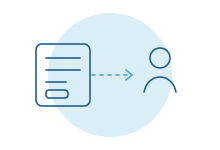
- Every form should create a record in your CRM, reach a named person and confirm to the visitor what happens next.
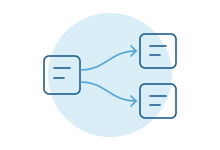
- Routing by type, size or region gets an inquiry to the right person the first time.
- Spam filtering should be quiet and checked, so real inquiries never get thrown out with the junk.
- Client portals and scheduling turn the site from a front door into part of how work moves.
The weekend quote request
A facilities manager fills in your quote form at 4:40 on a Friday. The details are good. Building size, timeline, the system they run today.
The form sends an email to info@. Three people can read that inbox, so each assumes someone else will. On Monday it's under forty newer messages. By the time anyone replies, the manager has two other quotes.
Nothing on the website broke. The page loaded, the form worked and the email was delivered. The lead was still lost.
Where inquiries go missing
Walk the path of one inquiry from the moment someone presses Send. The leaks are usually in the same places.
- A shared inbox with no owner. Everyone can see it, so nobody is responsible for it.
- Copying into the CRM by hand. It happens when someone has time, with typos, and without the page the visitor came from.
- One form for everything. A job applicant, a vendor pitch and a large project request all arrive looking the same.
- Over-eager spam filters. A real buyer with an unusual email domain lands in a junk folder nobody checks.
- Silence after submit. The visitor sees "Thanks" and nothing else, so they keep shopping.
None of these is a design problem. They are plumbing problems, which is why redesigns so often don't fix them.
Every form should create a record
The single most useful change is simple. Every form submission creates or updates a record in your CRM, automatically, with everything the visitor gave you.
Most CRMs have a way to do this. HubSpot, for example, can collect submissions from forms that weren't built in HubSpot, with conditions its help center spells out. Salesforce has its own way to turn web form entries into leads. Each comes with limits worth reading before you rely on it.
Whichever route you take, the record should carry more than the visitor typed:
- The page they submitted from, and the pages they read before it.
- Where they came from: a search, an AI assistant, an email, a referral.
- What they asked for, in fields your team can filter on, not one long message box.
That context changes the first reply. "I saw you were reading about connecting your field service software to accounting" is a better opener than "Thanks for reaching out." See our HubSpot and Salesforce pages for what each allows.
Route it to a person, not an inbox
Once inquiries arrive as records, they can go to the right person on the first try.
Routing rules don't need to be clever. They need to match how your team already splits the work. By service. By region. By size of project. By whether the company is already a client.
Two rules matter more than the rest. Every inquiry gets one named owner. And if that owner hasn't acted within a set time, it moves to someone else, or to a manager, with a note saying why.
That second rule is what saves the Friday afternoon quote. It doesn't depend on anyone remembering.
Speed to lead, without the theater
You'll see plenty of statistics about how fast you need to respond. Many are old, some are misquoted, and few match your market. You don't need them.
Ask your own team instead. When a strong inquiry comes in, how long until a real person replies? Check the last twenty. The answer is usually slower than anyone thinks, and it varies wildly by day of the week.
Then fix what's in your control. An instant confirmation that tells the visitor what happens next and when. A same-day reply from a person during business hours. A clear handoff on weekends. Our page on inbound lead response covers what that looks like in practice.
What your team should see when an inquiry arrives
The person who picks up an inquiry should be able to act on it in one screen. That means the record already holds:
- Who it is, matched to any existing contact or company, so a returning client isn't treated like a stranger.
- What they want, in clear fields: the service, the size, the timing.
- What they read before they wrote in.
- Who owns it, and by when a reply is due.
When that information is missing, the first reply turns into a questionnaire. When it's there, the first reply can be useful, which is the point.
Spam without losing real buyers
Every public form attracts junk. The temptation is to add a harder puzzle, which also stops real people, especially on phones.
Quieter methods usually work better. A hidden field that only bots fill in. Checks on how quickly the form was completed. Filtering on obvious patterns, like links stuffed into the message. Most good form tools offer some version of these.
The part people skip is review. Someone should glance at what the filter caught each week. One real buyer marked as spam costs more than a hundred junk messages that got through.
Evenings and weekends
Buyers don't keep office hours. Plenty of serious inquiries arrive on a Sunday night, written by someone who finally had time to think about the problem.
You don't need someone on call to handle them well. You need three things. A confirmation that sets an honest expectation, such as "a person will reply by Monday at noon." A clear owner for Monday morning, decided in advance, not by whoever opens the inbox first. And a short list, at the top of that person's day, of everything that arrived while the office was closed.
Urgent work is different. If some inquiries really can't wait, like a service outage or an emergency repair, give them their own form or phone line and route them to whoever is on duty.
Quote requests that arrive ready to price
A quote form that asks only for a name and a message guarantees a slow back-and-forth. The estimator replies with questions, waits a day, replies again.
A better form asks the questions your estimator always asks, in plain language, with only a few required. It can accept photos or drawings. It can show different questions for different kinds of work.
Connected to your systems, the request can arrive as a draft in your quoting tool, with the customer matched to their existing record. The estimator starts from a prepared draft instead of a blank page.
Portals and scheduling
Some of the most useful website features sit behind a login.
- Client portals let clients check status, send documents and approve work without another email thread.
- Scheduling that reads real availability lets someone book a call or a site visit without three emails to find a time.
- Document requests show clients exactly what's missing and accept uploads straight into the right file.
Each of these only works if it's connected to the system your team actually uses. A portal that shows yesterday's status is worse than no portal at all.
Measuring the path, not just the page
Most website reports stop at visits and form submissions. The useful measures sit further along.
- How many submissions became a record in the CRM. It should be all of them.
- How long until a person replied, by day of the week.
- Which pages the inquiries that became real work came from.
- How many inquiries changed owners because nobody acted in time.
None of these needs a new tool if the form and the CRM are connected properly. They come from data you already have, put in one place.
What most guides miss
Test the whole path, not the page. Submit a real test inquiry every week and follow it until a person replies. Forms break quietly, after a plugin update or a CRM change, and nobody notices for weeks.
Fewer fields, better fields. Long forms lose people. But the right three questions can save a day of email. Ask what your team needs to route and respond, and nothing more.
Accessibility is part of the plumbing. A form that can't be completed with a keyboard or a screen reader loses inquiries too. The W3C's forms tutorial covers labels, instructions and error messages in plain terms.
The reply is part of the website. Visitors judge you by the first response as much as the homepage. Write it as carefully.
How we do it
We start with a free intro call and trace one real inquiry from your form to the first reply. Then we work alongside your team to connect the site to the systems you already run, with routing, follow-up and testing built in. See websites and content for more.